How to merge PDF files into one
Open Merge PDF, add all the PDFs, put them in order with the arrows and press Merge. You get one PDF with every page, and the files never leave your phone or computer.
The quick way, step by step
- Open the tool. Go to thefilesbay.com/merge-pdf on your phone or laptop.
- Add your PDFs. Tap Choose file and select all of them at once, or drag them onto the box. You can add more afterwards.
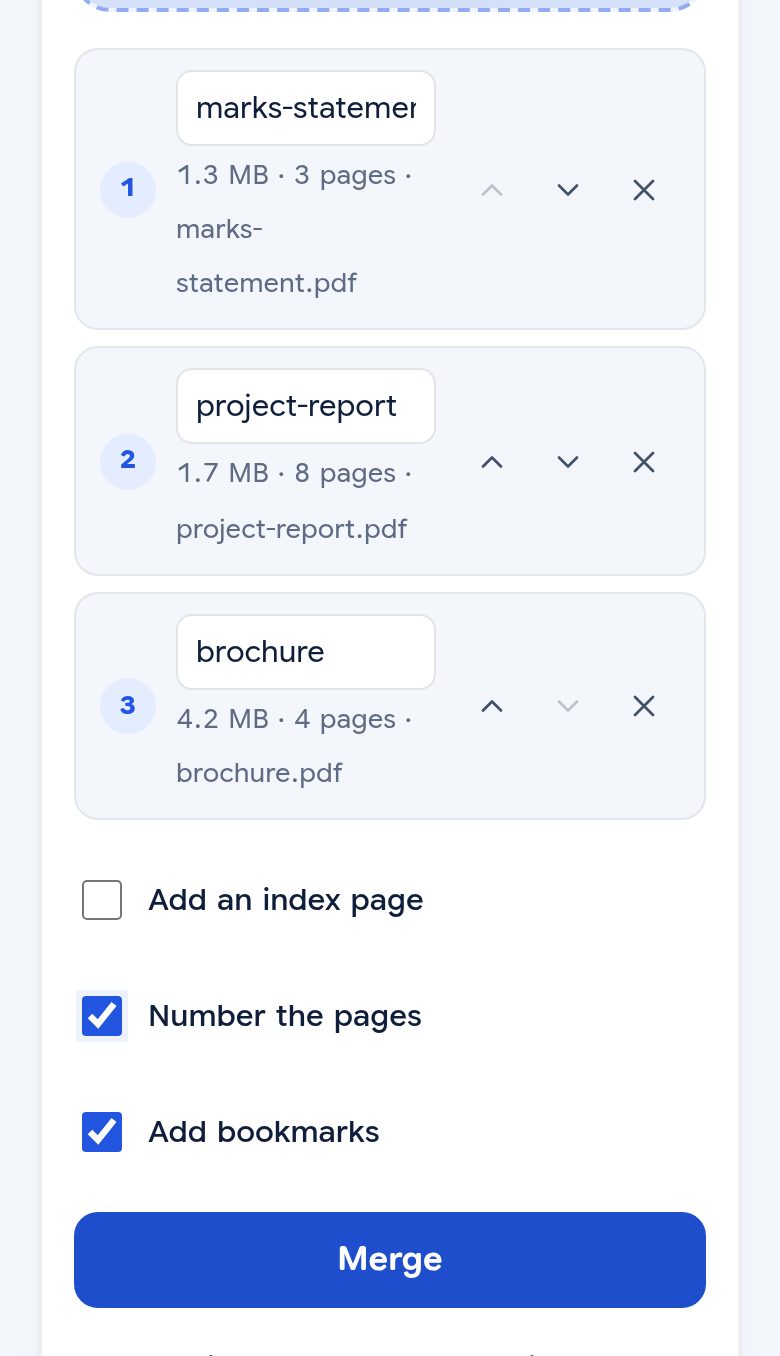
- Put them in order. Use the ↑ and ↓ arrows next to each file. The number on the left is its place in the final PDF. Tap × to take a file out.
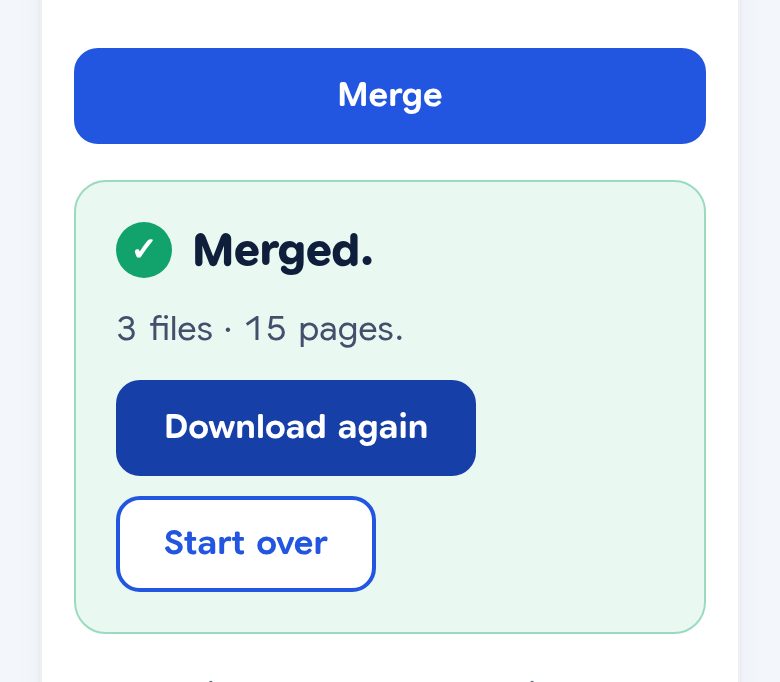
- Press Merge. The joined PDF downloads by itself. Your original files stay as they were.
What the result looks like
We merged three test PDFs, all made-up documents with no real personal data: a 3-page scanned mark statement, an 8-page typed report and a 4-page photo brochure.
| Pages | Size | |
|---|---|---|
| Mark statement (scan) | 3 | 1.3 MB |
| Project report (typed) | 8 | 1.7 MB |
| Brochure (photos) | 4 | 4.2 MB |
| Merged PDF | 15 | 7.2 MB |
Nothing was squeezed or redrawn. The merged file is the three files added together, the report's text can still be selected and copied, and with Number the pages ticked, pages run from 1 to 15.
The extra options
- Number the pages: adds page numbers straight through the whole merged file.
- Add bookmarks: on by default. Each file becomes a bookmark in the PDF's sidebar, so you can jump to it. The bookmark takes the name in the box above each file, which you can change.
- Add an index page: puts a contents page at the front, with a serial number, the name of each file and the pages it covers. Type a clear name in each file's box first, like "Electricity bill, March 2026". There's also a page just for this: Merge PDF with index.
Common problems
- The merged file is too big for the form. Merge first, then compress the PDF. For a fixed limit, see how to compress a PDF to 200 KB.
- You only need some pages. Take them out with Split PDF, or reorder and delete pages with Organize PDF after merging.
- A page is sideways. Fix it with Rotate PDF.
- Some of your pages are photos. Turn them into a PDF with JPG to PDF first, then merge.
- A file is password-protected. It has to be opened first. If it's your own file and you know the password, use Unlock PDF, then merge.
Without any website
- Mac: open the first PDF in Preview, show the sidebar with View → Thumbnails, then drag the other PDFs into the sidebar where they should go, and save.
- iPhone: in the Files app, tap Select, choose the PDFs, then tap ⋯ and Create PDF. Check the page order in the new PDF before you send it.
- Windows and Android: there is usually no built-in way to join PDFs, so a browser tool is the simplest route.
Is it safe for personal documents?
Yes. Most online PDF tools upload your files to their servers to join them. This one doesn't: the joining happens inside your browser, so your certificates, ID proofs and statements stay on your own device.
Questions
Is there a limit on files or size?
We don't set one. The files are joined on your own device, so the only limit is its memory.
Does merging make the PDF blurry?
No. Pages are copied across exactly as they are. In our test the merged file was the same size as the three files added together, and the text could still be selected.
Can I merge PDFs on my phone?
Yes. It works in the phone's browser, like Chrome or Safari. No app to install.
Are my PDFs uploaded anywhere?
No. They are joined inside your browser, on your own device, and never sent to us or anyone else.